As a photographer with well over two decades of image editing experience, I’ve seen my fair share of software come and go. From Lightroom and Capture One to various “insider tips”—I’ve tried (almost) all of them.
When Luminar Neo first hit the market, I was skeptical, to be honest. Another AI-driven tool promising to revolutionize everything? But after putting it through its paces, I have to admit: there’s something to it.
In this hands-on review, I’ll show you what Luminar Neo is truly capable of—and exactly where it hits its limits.
Luminar Neo is an image editing software by Skylum that brands itself as a “creative engine for photographers.” At its core, it’s a RAW converter with built-in cataloging features—making it a direct Lightroom competitor, at least in theory.
The game-changer: Luminar Neo goes all-in on artificial intelligence, aiming to democratize complex editing processes.
The software is available as a standalone app for macOS and Windows, but it also works as a plugin for Lightroom, Photoshop, and Apple Photos. A smart move, meaning you don’t have to switch your entire workflow overnight.
Get Luminar Neo at the best price. Save even more cash with my promo code!
* 30-Day Money-Back Guarantee | Official Skylum Partner
AI Tools – The Core Engine
This is where Luminar Neo truly shines. Some of the AI features lean toward being neat novelties, but others are absolute lifesavers for your day-to-day workflow:
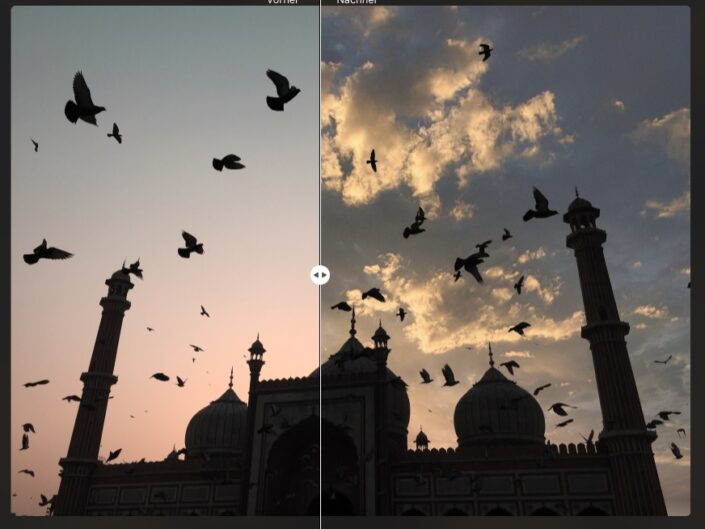
Sky AI (Sky Replacement) This tool is legendary—and for good reason. You select a new sky from the library, click once, and Luminar doesn’t just swap the sky, it entirely re-lights the image to match the new mood. The masking works astonishingly well, even with complex subjects like trees or intricate buildings. For landscape photographers, this is a genuine game-changer.
Want to try sky replacement yourself?
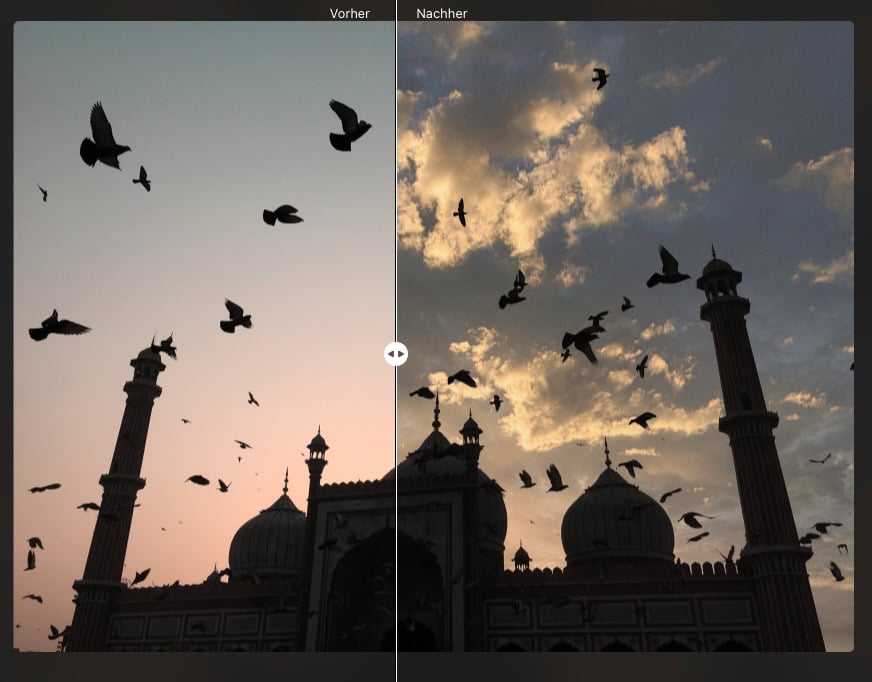
Relight AI This is almost pure magic: the software builds a 3D depth map of your 2D image, allowing you to control the exposure of the foreground and background entirely independently. It’s perfect for backlit portraits or when you’ve shot someone standing in front of a blown-out window.


Mask AI (AI Masking) Luminar automatically detects people, architecture, skies, transportation, water, flora, mountains, and ground surfaces. The masks aren’t always flawless, but they are absolutely spot-on for 90% of scenarios. It saves you an immense amount of time.

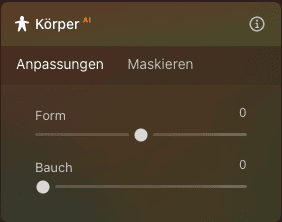
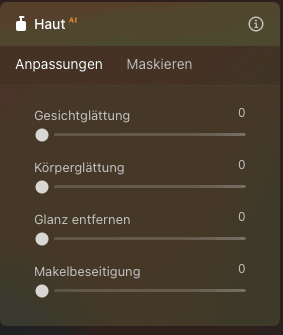
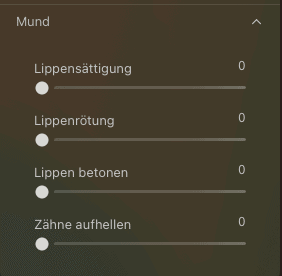
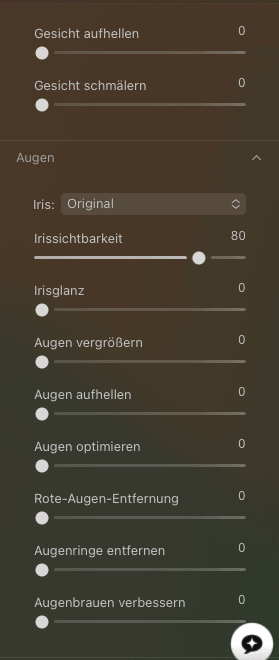
Portrait AI Skin retouching, eye enhancement, teeth whitening—all done via simple sliders. It works great as long as you don’t overdo it. The catch: things can quickly look too smooth and plasticky. This is where your artistic intuition and a delicate touch are definitely required.
The options for quick adjustments to the mouth, eyes, face, skin, and body are extensive and more than sufficient. They make it easy to subtly touch up portraits or completely transform them.
Use the code at checkout to get the best price.
These tools are comparable to Photoshop’s Generative Fill, but they operate directly within your RAW workflow. In my tests, they weren’t particularly convincing—however, given the rapid pace of AI development, it’s always worth checking back in.
Alongside the AI features, Luminar Neo offers all the standard tools:
RAW development with all the essential sliders—but the devil is in the details; for instance, the white balance can only be adjusted by feel, not by dialing in specific Kelvin values or selecting presets like daylight.
The sliders feel intuitive, and the RAW processing quality is good—honestly, much better than expected, even for Fujifilm RAWs—even if it doesn’t quite reach the absolute peak level of Capture One.
Luminar Neo comes with a massive preset library. The quality is… a mixed bag. Some presets are really well thought out, while others look like Instagram filters from 2015. The AI suggests matching presets based on your image—sometimes it hits the bullseye, other times it misses completely. But then again, everything in image editing is a matter of taste anyway.
You can, of course, also create and save your own presets.
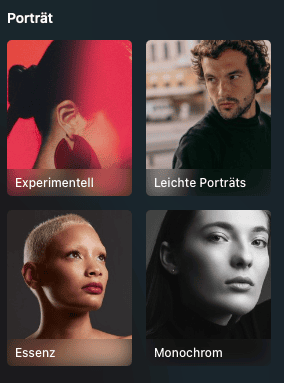

Landscape Photographers: The sky replacement feature alone is worth its weight in gold. You know the drill: amazing location, but the sky is just a boring, flat gray. With Luminar, you can swap the sky and automatically match the lighting mood in 30 seconds. On top of that, tools like “Golden Hour,” “Mystical,” or “Sunrays” are incredibly useful for adding atmosphere to landscape shots.
Portrait Photographers: Fast skin retouching, adding bokeh effects in post, separating the exposure of the subject from the background—these are features that require clunky workarounds in Lightroom. For wedding photographers or portrait sessions, it’s a massive time-saver.
Creative Photographers: If you love to experiment and work with creative effects, Luminar is an absolute playground. The combination of layers and AI tools allows you to pull off edits that would otherwise require complex Photoshop workflows.
Beginners and Ambitious Hobbyists: The intuitive interface and one-click tools deliver professional-looking results without requiring years of editing experience. At the same time, the software offers enough depth for you to learn and grow your skills.
Photographers on a Budget: The lifetime license is a huge advantage over Adobe’s subscription model. Pay once, keep it forever.
High-Throughput Professionals: If you need to blast through 500 wedding photos in a single night, Luminar hits its performance limits. But yes, it can be done—and a lot of it might just come down to what you’re used to.
Studio Photographers Needing Tethering: Capture One remains completely undefeated here. Luminar simply does not support tethered shooting.
| Feature | Luminar Neo | Adobe Lightroom Classic |
|---|---|---|
| Price | €99 (Lifetime) — in reality, Skylum runs a different sale almost every week. | €11.99/month (LR only) or €19.99/month (with PS) |
| AI Features | Available | Available |
| Catalog Management | Basic | Professional |
| RAW Processing | Good | Excellent |
| Performance / Speed | Average | Average to good |
| Learning Curve | Gentle | Moderate |
| Layers | Yes | No |
| Presets | Plentiful, but highly variable quality | High-quality, massive community |
| Mobile App | Yes (requires a subscription for cloud sync) | Yes, excellent |
| Tethering | No | Yes |
| Plugin Integration | Can be used as a plugin | Host for plugins |
| 👉 Grab the deal now |
My conclusion on the comparison: For 80% of photographers, Luminar Neo is an excellent choice—affordable, creative, and straightforward. Lightroom shines when it comes to managing massive volumes of images and handling professional workflows. As a Fujifilm X-Photographer, I still consider the RAW processing of Lightroom, and especially Capture One, to be superior, but Luminar is quickly catching up.
Quick Money-Saving Tip: If you decide to go with Luminar, use my link and the code PIXELCATCHER – this is usually cheaper than the standard deals on their website.
👉 Click here for the deal
| Feature | Luminar Neo | Capture One |
|---|---|---|
| Price | From €99 (Lifetime) | €299 (one-time) or €24/month |
| Target Audience | Beginners to Semi-Pros | Professionals |
| Color Editing | Good | Outstanding |
| Tethering | No | Excellent |
| Learning Curve | Gentle | Steep |
| AI Tools | Extensive | Minimal |
| Session Workflow | No | Yes |
| Layers | Basic | Complex and powerful |
When to choose Luminar Neo?
For everyone else. Honestly. Capture One is a monster of a tool with a learning curve like a vertical cliff. Luminar gives you 90% of the power for 20% of the effort.
When to choose Capture One?
If you are a studio photographer, work with tethering, or need absolute control over colors. For commercial fashion or product photography, Capture One remains unmatched.

Here is the catch: Luminar Neo can run as a plugin directly inside Photoshop. You simply send an image from Photoshop to Luminar, apply the AI tools, and head right back. It’s truly the best of both worlds.
Photoshop remains irreplaceable for pixel-perfect editing, complex compositing, and graphic design. Luminar, on the other hand, is the go-to tool for photographic adjustments with an AI boost.
Let’s be honest: Luminar Neo is a RAM and CPU hog. Especially the AI tools just demand serious processing power. Not an issue for a modern CPU, but on older hardware, things can definitely take a bit longer.
Minimum manufacturer specifications:
In the real world: Luminar runs smoothly on my MacBook Pro M1 (16 GB RAM). The AI tools sometimes take about 10 seconds to process – which is perfectly fine. However, on older Windows machines, things can obviously get sluggish.
By comparison: Lightroom is a bit faster, especially with large catalogs, while Capture One is pretty similar depending on the hardware. The difference isn’t dramatic, though.
I’m not a fan of pure praise without critique. So, what bothers me?
Lightroom is worlds ahead here. What’s missing in Luminar:
In my photography courses in Stuttgart, I often mention Luminar to my students as a Lightroom alternative. However, as soon as someone needs to manage more than 10,000 images, I usually advise them to go with Lightroom or Capture One.
When exporting large volumes of images, Luminar is slower than Lightroom. Exporting 100 JPEGs takes noticeably longer.
Skylum wants to make money – understandable. But the aggressive push toward expensive preset packs is annoying. The included presets are completely sufficient, no question about it. But you’re constantly fed the narrative: ‘Everything will look better with this premium pack!’
Sometimes the AI does exactly what you want. Sometimes it produces nonsense. The GenErase tool, for example: brilliant with simple backgrounds, but with complex structures, it often gets… creative.
Pay €99 once instead of €143.88 every year for Lightroom – that adds up. After just one year, you’re already saving money.
The combination of AI tools and layers is brilliant. You can do things that would normally require three different programs.
Students in my photography courses for beginners pick up Luminar much faster than Lightroom. The learning curve is a lot shallower.
Keep working with Lightroom or Photoshop, but leverage Luminar’s AI power for specific tasks. Perfect.
Skylum is constantly pushing out new features. Generative AI, new AI tools, performance improvements – the development never stands still.
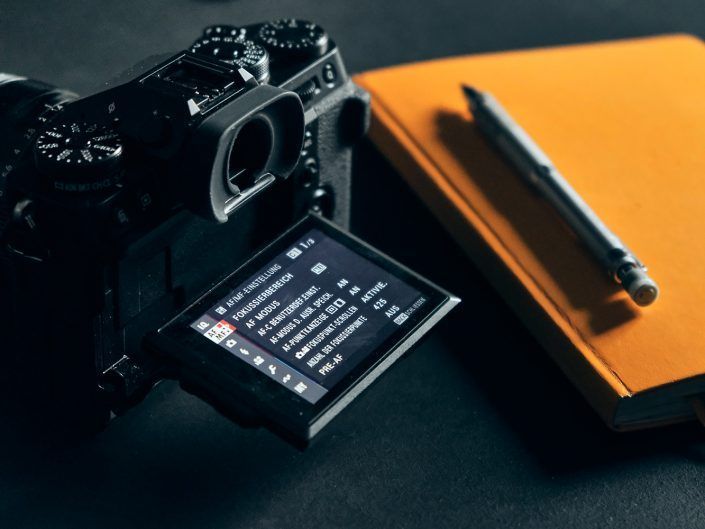
As a Fujifilm X-Photographer, I primarily work with RAF files. X-Trans sensor processing can often be a challenge for RAW converters.
Luminar Neo with Fuji:
My tip: If you shoot with Fujifilm and need the absolute highest RAW quality, get Capture One. For all other use cases, Luminar is completely sufficient. But it’s definitely worth testing, as I was very pleasantly surprised myself.

My Recommendation: For most people, the Lifetime deal is the best choice. Here you can get Luminar Neo at a discount – there are often promotions with 10–30% off.
If you need the mobile apps and extensions, the Pro Plan is worth it. Do the math: 1 year of Adobe Lightroom + Photoshop = €239.88. Luminar Pro = €99. You save €140 a year.
When directly comparing the one-time purchase with the Adobe subscription, there is an important detail to consider: The Luminar Lifetime license (approx. €99) usually only covers the core program.
However, anyone who wants to leverage the full power of 2026 – especially the Generative AI (GenErase, GenSwap) and the Pro Extensions (like Upscale AI, Focus Stitching, or Noiseless AI) – will find that these are often tied to the Pro Plan (subscription) or must be purchased individually as expensive add-on packs.
The realistic math for power users:
Conclusion: The price advantage of Luminar is huge for casual users who only need the basic AI. However, if you want the complete AI arsenal and cloud features, you’ll still pay an annual fee with Skylum. The true advantage over Adobe then lies less in massive savings, but rather in the combination of Photoshop-like layers and a Lightroom workflow within a single, simpler interface.
Perfect for: Landscape, Portrait, Travel, Street
Okay for: Event, Architecture
Less ideal for: Studio, Tethering workflows, high-volume wedding photography
After several months of intensive, day-to-day use of Luminar Neo in my photography workflow here in Stuttgart, I can comfortably say: this program has absolutely earned its place.
Is it perfect? No. The catalog management is weak, performance can feel sluggish at times, and every now and then the AI produces complete nonsense. But the combination of creative AI tools, a fair price point, and a gentle learning curve makes Luminar Neo a genuine Lightroom alternative for the vast majority of photographers.
My Recommendation: Try out the 7-day trial version. The 30-day money-back guarantee gives you plenty of room to see if Luminar Neo fits into your workflow.
In my photography courses here in Stuttgart, I now showcase both programs – Lightroom for the pros, Luminar for the fast starters. Both have their place.
If you are still using the predecessor program, Luminar AI:
New features in Neo:
Is it worth it? If you actively use Luminar AI: Yes, definitely. Neo is not just a minor update, but a complete rebuild. Upgrade deals are frequently available at a discount.
| Software | Cost/Year | Lifetime Option |
|---|---|---|
| Luminar Neo | €89–99 (Subscription) or €99 (One-time) | ✅ Yes |
| Lightroom | €143.88 | ❌ No |
| Lightroom + Photoshop | €239.88 | ❌ No |
| Capture One | €170–288 | ✅ Yes (€299) |
After 3 years:
The math speaks for itself.
Luminar Neo isn’t a magic wand that solves every issue. But it is a damn good program that, for many photographers, is a much better choice than the usual suspects.
The software landscape is shifting. Adobe no longer dominates completely unchallenged. Tools like Luminar Neo prove that there is another way: a one-time payment instead of a subscription trap, creative AI instead of unnecessary complexity, and modern workflows instead of rigid, outdated structures.
Give it a try. The free trial gives you 7 days, which is more than enough time to see if it clicks for you.
And if you live in or around Stuttgart and want to dive deeper into image editing: in my photography courses, I’ll show you exactly how to get the absolute maximum out of your images—no matter which software you prefer to use.
Wishing you lots of fun while editing!
Note: Some of the links in this article are affiliate links. If you purchase through them, I earn a small commission—at absolutely no extra cost to you, and often you’ll even get a discount. This helps support my work on free tutorials and reviews. Thank you!


Leave a reply