Logo and copyright must stay consistent across hundreds of images.
Mac App
Lightroom
Capture One
One-time purchase
Mac watermark tool for photographers
Brand complete image sets in seconds.
BatchMark Pro adds logos, copyright text, EXIF data and visual labels to entire folders. No Photoshop assembly line. No cloud upload. Just a clean Mac workflow after Capture One, Lightroom or Finder export.
3 reviews. All five stars.40 placeholders for EXIF and copyright.8 presets for repeatable looks.
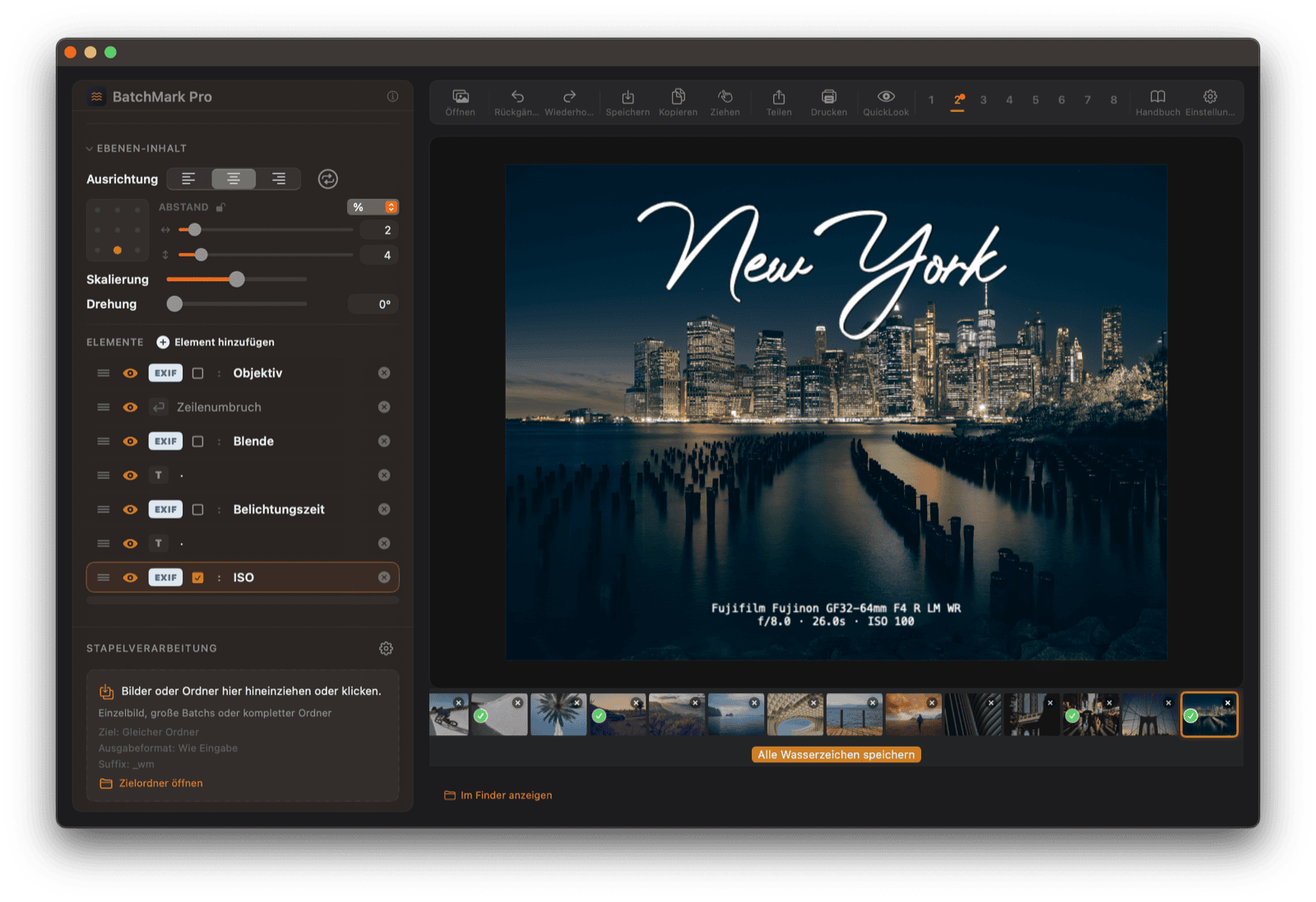
A watermark tool should not feel like graphic design homework. It should sit at the end of your export and finish the job.
Michael Damböck · pixelcatcher
LogoWatermarkCopyrightEXIFClient deliveryCapture OneLightroom100% local
LogoWatermarkCopyrightEXIFClient deliveryCapture OneLightroom100% local
Problem
The boring part of delivery is where mistakes happen.
One image is easy. A whole client gallery, an event batch or a social set is where manual watermarking becomes slow, inconsistent and surprisingly risky.
Every export needs a clean label, but you do not want to rebuild it by hand.
Camera, lens or location data should look intentional, not pasted on.
Finished images need clear branding before they leave your Mac.
In real assignments
How photographers actually use BatchMark Pro.
Not as a checkbox feature, but in the moments where delivery has to be fast, consistent and clearly branded.
Wedding photographer
400 preview images for an online gallery.
Load one preset, apply logo and copyright to the complete set and send a protected selection.
Travel and landscape
Portfolio, social media and technical data.
Add your name and camera/lens data automatically from EXIF without rebuilding every caption.
Event and client jobs
Fast handoff without sloppy files.
Deliver proofs, press images or client folders with consistent ownership and context.
Workflow
A photographer workflow, not a design app.
Export from Capture One or Lightroom, open the folder with BatchMark Pro, apply your preset and deliver a branded set. The original files stay untouched.
01
Layer-based branding
Combine logo, text, copyright, EXIF and background capsules as separate layers.
02
EXIF placeholders
Camera, lens, aperture, shutter speed, ISO and more can be inserted per image.
03
Presets for repeat jobs
Save looks for clients, social channels, workshops, portfolios and quick proofs.
04
Local processing
Your photos stay on your Mac. No account, no cloud upload, no hidden service.
Layers
Your photo stays the photo. Branding sits cleanly on top.
Logo
PNG and SVG
Place your own mark exactly where it works for the image.
Text
Copyright and free text
Name, website, license notes, location or client context.
Data
EXIF per image
Camera, lens, focal length, ISO, aperture and shutter speed from every file.
Examples
From subtle signature to finished client branding.
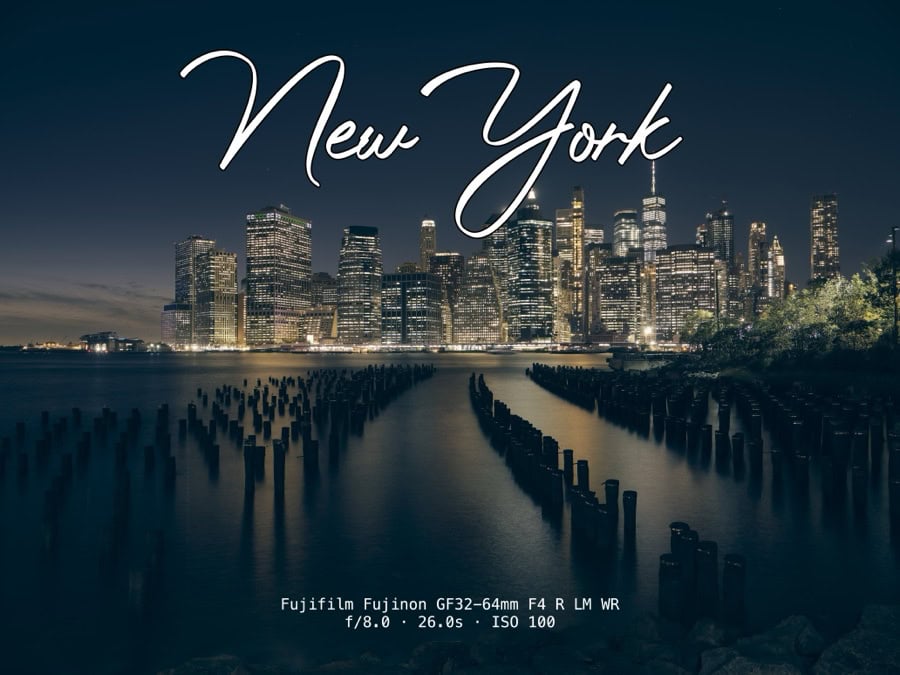 New York Skyline
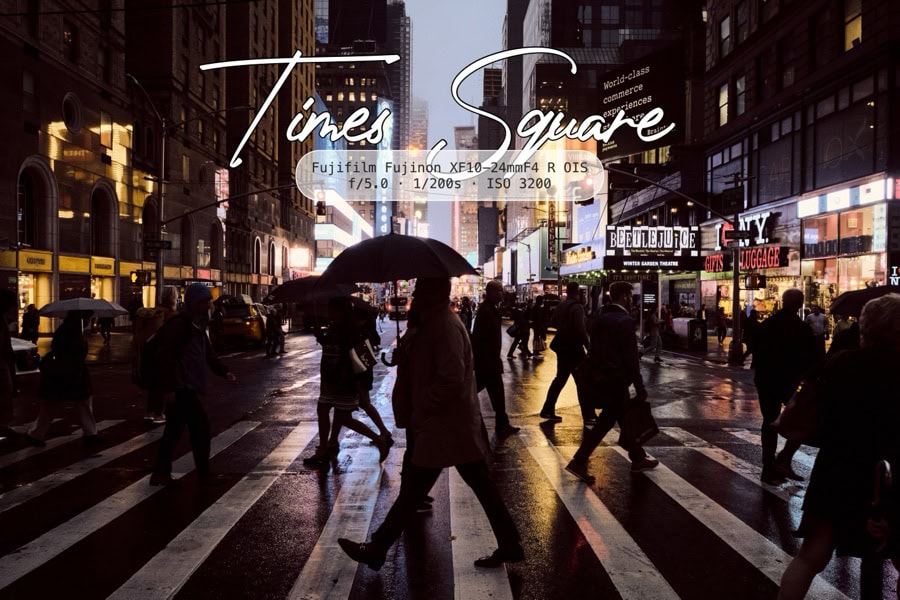 Times Square EXIF label
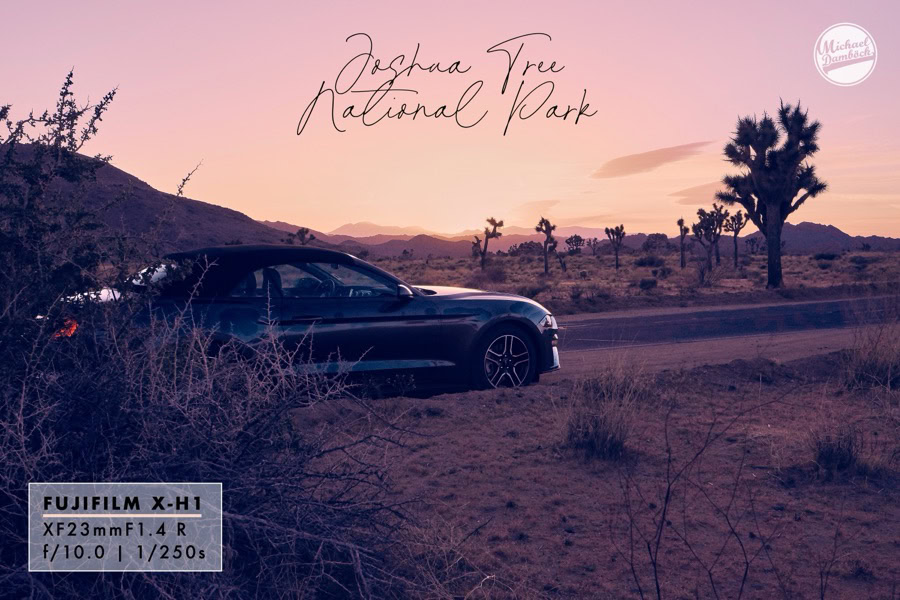 Joshua Tree watermark
 BMX action label
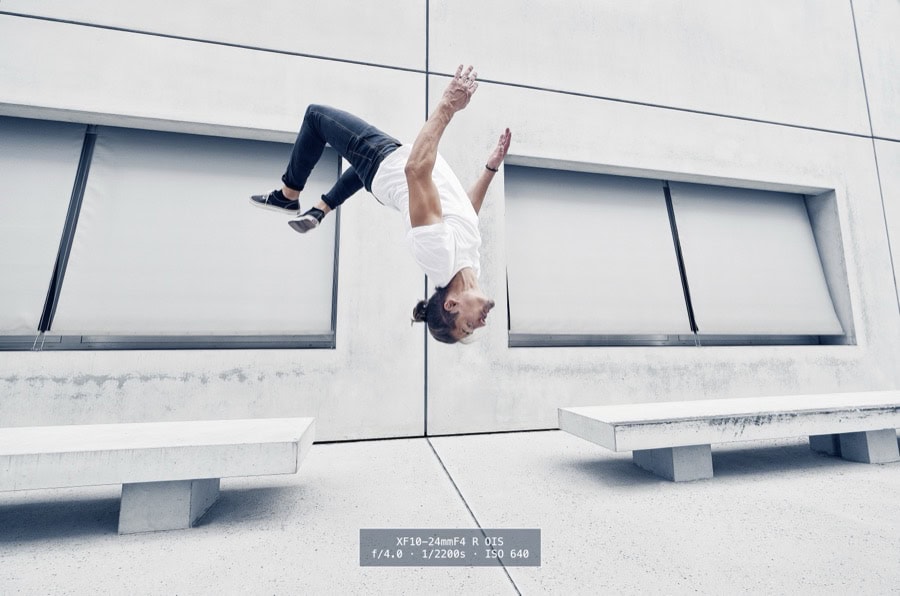 Parkour client branding
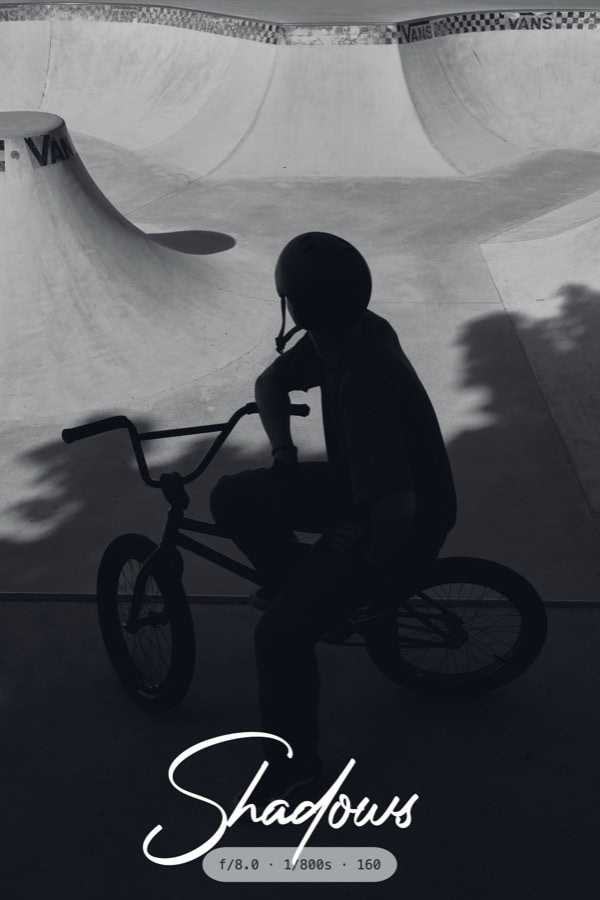 Black and white signature
Integrations
Fits after Lightroom, Capture One and Finder.
Capture One
Export JPG or TIFF, then open the folder in BatchMark Pro for branded delivery.
Lightroom Classic
Export your selection, apply one preset, send the finished set.
Finder
Drag files or folders directly onto the app for one-off jobs and quick batches.
Comparison
Why not just use Lightroom watermarks?
| Need | BatchMark Pro | Basic watermark tools |
|---|---|---|
| Multiple text and logo layers | BatchMark Pro | Limited or manual |
| EXIF per image inside the label | Dynamic | Usually not the point |
| Visual capsules, scripts, title blocks | Built in | Manual workaround |
| Repeatable batch branding after export | Core workflow | Depends on setup |
Deep Dive
A real feature set, not a simple watermark checkbox.
40 EXIF placeholders
Camera, lens, ISO, aperture, shutter speed, date, copyright and more can be placed as text and read per image.
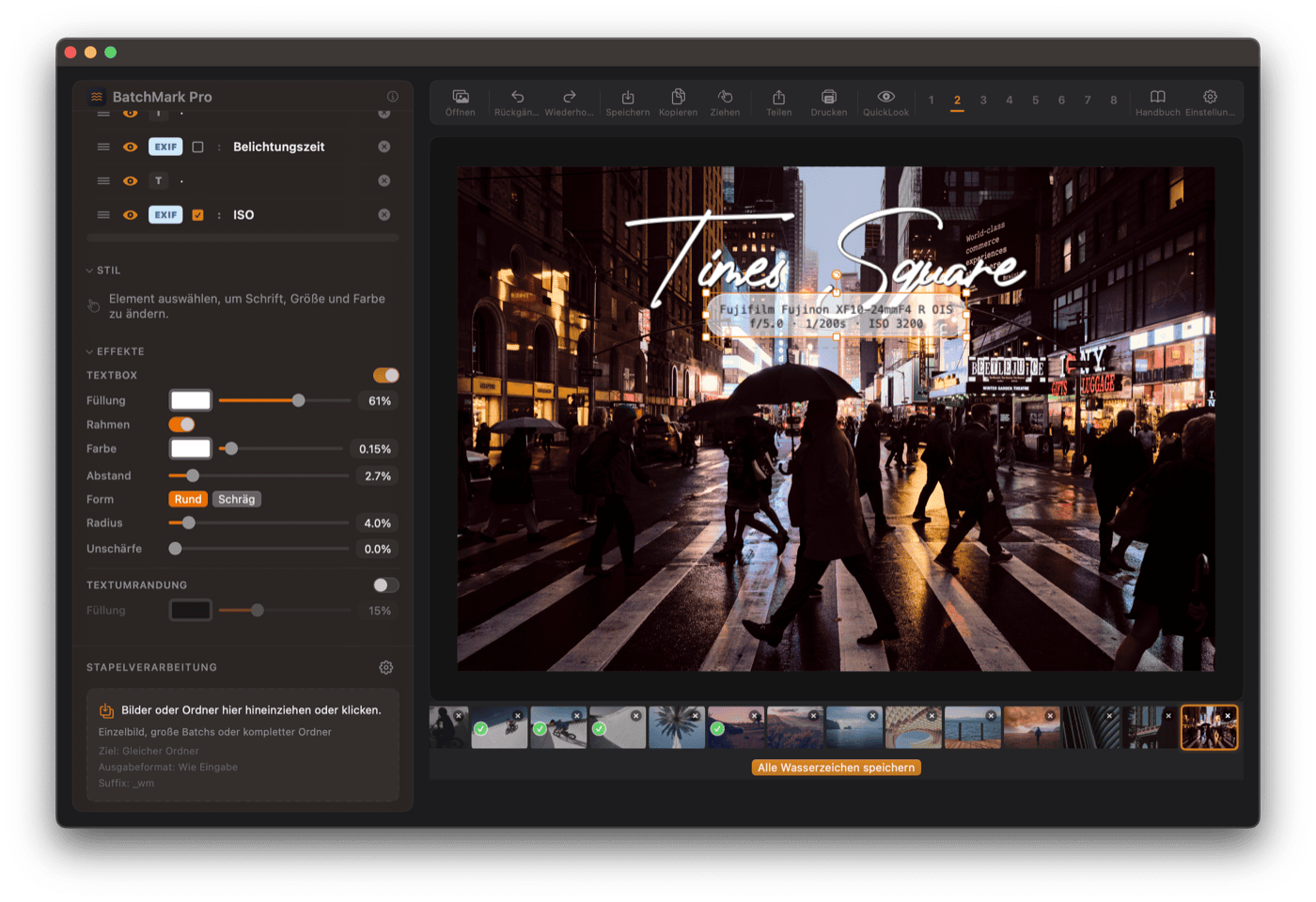
Layer-based positioning
Every logo and text layer has its own position, opacity, size, anchor point and visual style.
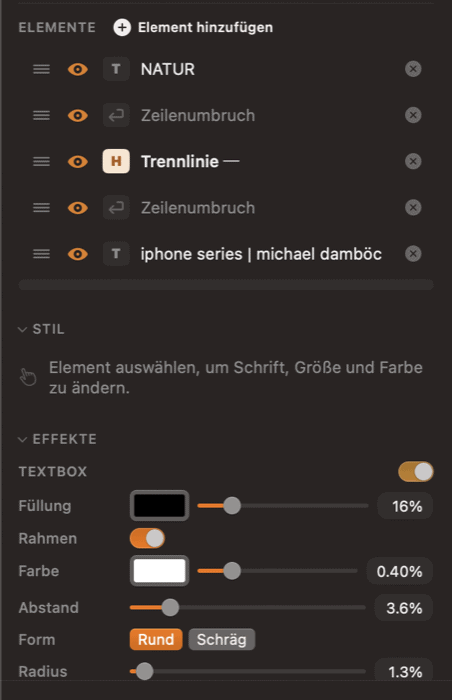
Text boxes and effects
Background boxes, borders, rounded corners, blur and text outlines help labels stay readable on bright or busy images.
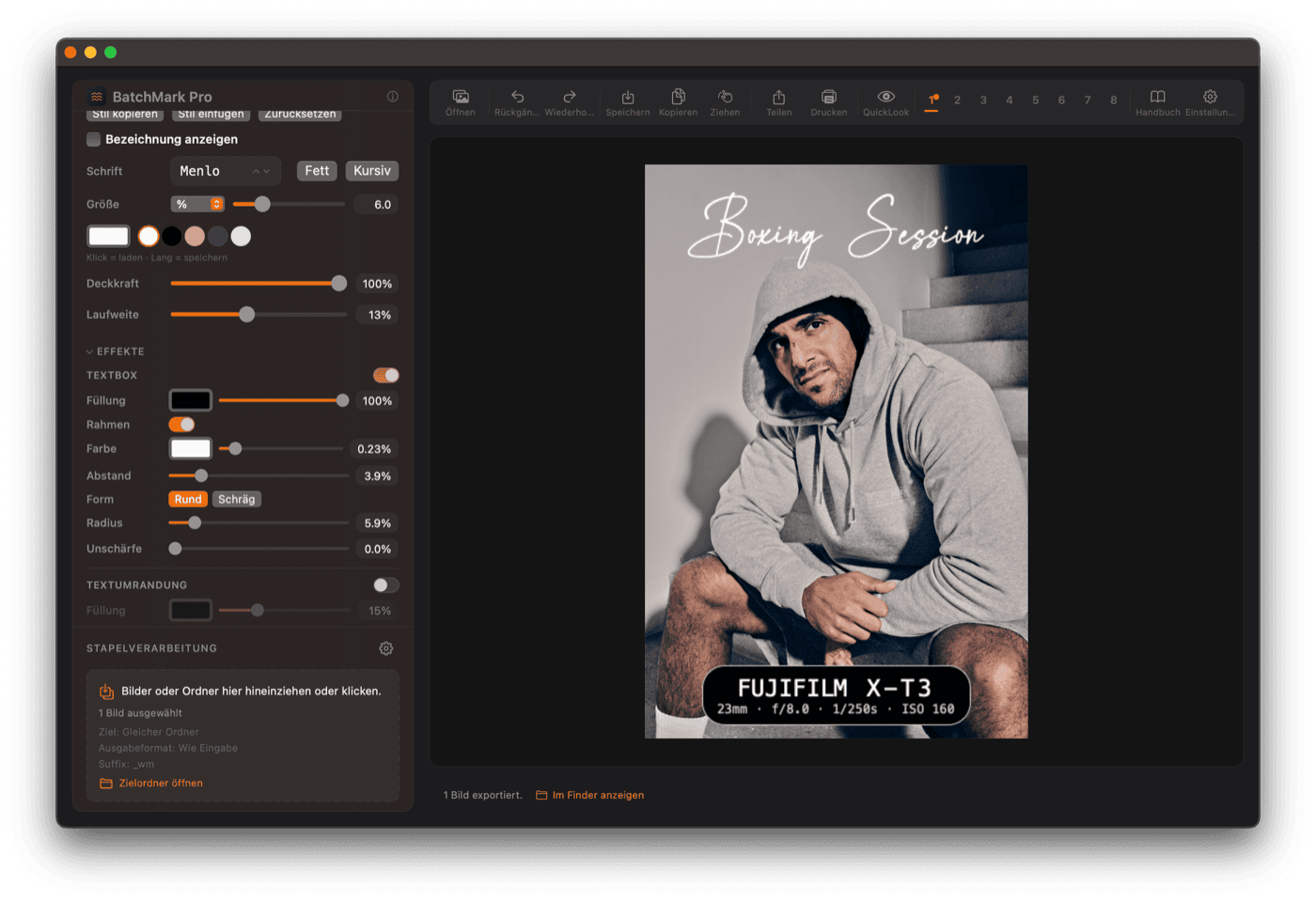
Logo PNG and SVG
Use transparent logos, SVG marks and graphic signatures with the right scale and blending for the image.
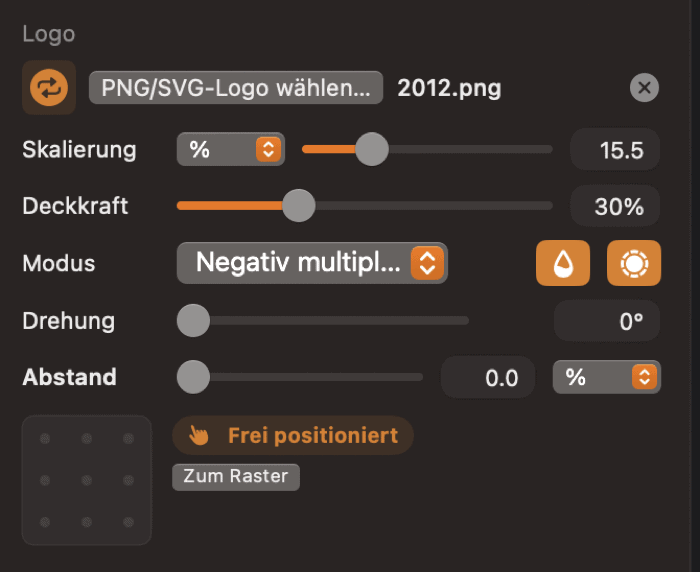
Local Mac App
Your images stay on your Mac.
No uploads. No account. No cloud detour. BatchMark Pro processes locally and keeps your originals untouched.
8Presets
∞Layers
40EXIF
0Uploads
MacNative
1xPayment

Developer
Built from real photographer pain.
Michael Damböck has spent years delivering image sets for clients, courses and personal projects. BatchMark Pro exists because repeating the same branding work by hand is exactly the kind of friction software should remove.
Photographer-builtBuilt around real export pain, client delivery and repeatable image workflows.
Personal supportFeedback goes directly to Michael, not into an anonymous support system.
Reviews
Bought for real export work.
★★★★★
“Works as advertised. powerful and straightforward. A great addition to workflow.”
maurice
★★★★★
“A very efficient and helpful tool. Simple and intuitive. What more could you want?”
werner.danz
★★★★★
“Once defined as a preset, it is extremely easy to apply it to a complete series of photos.”
aj7000
Before buying
Fair questions before buying.
Can Lightroom do this?
Lightroom can do basic watermarks. BatchMark Pro is for layered branding, EXIF labels, presets and whole-folder delivery.
Is it worth it?
If it saves a few minutes on every export batch, it pays for itself quickly.
Are my images uploaded?
No. Everything runs locally on your Mac.
Is it secure?
The app is built as a local Mac workflow. Your client images do not leave your computer.
Buy BatchMark Pro
Finish every export like a pro delivery.
BatchMark Pro
39,00 €
One-time purchase. Download after checkout. Built for photographers who send finished work, not half-prepared files.
LicenseMac App
WorkflowLightroom + Capture One
ProcessingLocal
PaymentOne-time
Secure checkout. Download after purchase.
Presentation workflow
The perfect companion to BorderTool Pro.
Use BorderTool Pro for clean frames and passepartout presentation. Use BatchMark Pro when the same image set needs logo, copyright, EXIF or client branding.
Everything included.
Everything included.
Layer system
8 presets
40 EXIF placeholders
Lightroom workflow
Capture One workflow
Finder drag and drop
PNG and SVG logo
Text boxes
Live preview
Undo
JPEG / PNG / TIFF
HEIC / HEIF
Apple Silicon
Intel Mac
macOS 13+
100% local
FAQ
FAQ
Is BatchMark Pro a subscription?
No. BatchMark Pro is a one-time purchase. No monthly fees.
Do my photos get uploaded?
No. Processing happens locally on your Mac.
Does it work without Lightroom?
Yes. You can process files and folders directly. Lightroom and Capture One are useful workflow partners, not requirements.
Is this the same as BorderTool Pro?
No. BorderTool Pro creates frames and presentation borders. BatchMark Pro adds logos, watermarks, text and EXIF labels.
Which macOS version do I need?
BatchMark Pro is built for modern macOS and runs on Apple Silicon and Intel Macs.
Customer reviews
What photographers say after buying.
2 reviews for BatchMark Pro (Mac)
Make branding part of your export.
Stop rebuilding the same watermark again and again. Save it once. Apply it whenever a finished set leaves your Mac.
aj7000 –
Eine gelungene Anwendung, vor allem für Lightroom-Nicht-Nutzer. Perfekt in Kombination mit Michaels BorderTool Pro.
In Luminar neo ist das Erstellen eines Rahmens oder Passepartouts nur mit größerem Aufwand möglich, so dass ich mich im Februar 2026 sehr über die Veröffentlichung des neuen Border Tools Pro für Mac gefreut habe. Dieses ist in Sachen Bedienung und Funktionalität kaum zu toppen und eine echte Bereicherung meines Workflows!
Da ich die Entwicklung des BorderTools als Beta Tester ein wenig begleiten durfte, habe ich mir öfter die Möglichkeit gewünscht, EXIF Daten, Freitext, ein Logo oder Wasserzeichen per BorderTool ins Bild einfügen zu können.
Diese Funktionalität wurde nun also mit dem Tool BatchMark Pro quasi standalone nachgeliefert; mit weitaus mehr Möglichkeiten, auf Inhalt und Stil des Overlays Einfluß zu nehmen, als ich mir dies in BorderTool hätte vorstellen können (ohne dessen einfache und intuitive Bedienung zu beeinträchtigen). Ohne überfrachtet zu wirken, lässt sich in BatchMark Pro die Gestaltung des Textes, des Logos, des Wasserzeichens völlig frei steuern. Sämtliche EXIF Daten stehen zur Auswahl zur Verfügung, daneben aber auch Freitext, um zusätzliche Informationen (wie z.B. benutzte Verlaufsfilter oder Standortkommentare) einzufügen. Zum Vergleich: im IMHO sowieso unüberschaubar überfrachteten Lightroom ist das Erzeugen eine Wasserzeichens bzw. eines EXIF-Daten-Overlays ohne zusätzliche Plugins nur sehr eingeschränkt möglich. Ich persönlich mag die Kombi aus einem breiten Rahmen (zunächst in BorderTool Pro erzeugt), in dem die Kamera-/Objektiv-Infos unten zentriert eingefügt werden (mit BatchMark Pro). Einmal als Preset definiert, lässt sich das dann extrem einfach auf ein ganze Reihe von Fotos und sogar ganze Ordner verlustfrei anwenden. Auch BatchMark Pro wird wohl noch weiterentwickelt werden; ich persönlich wünsche mir als zusätzliches Feature die Möglichkeit, im Vorschaubild zu zoomen (!) und vielleicht eine Vereinheitlichung der Anwendungsoberflächen von BorderTool und BatchMark.
Verifizierter Kauf. Mehr Informationen
werner.danz –
Ein sehr effizientes und sehr hilfreiches Tool. Dazu einfach und intuitiv bedienbar. Was will man mehr?
Verifizierter Kauf. Mehr Informationen