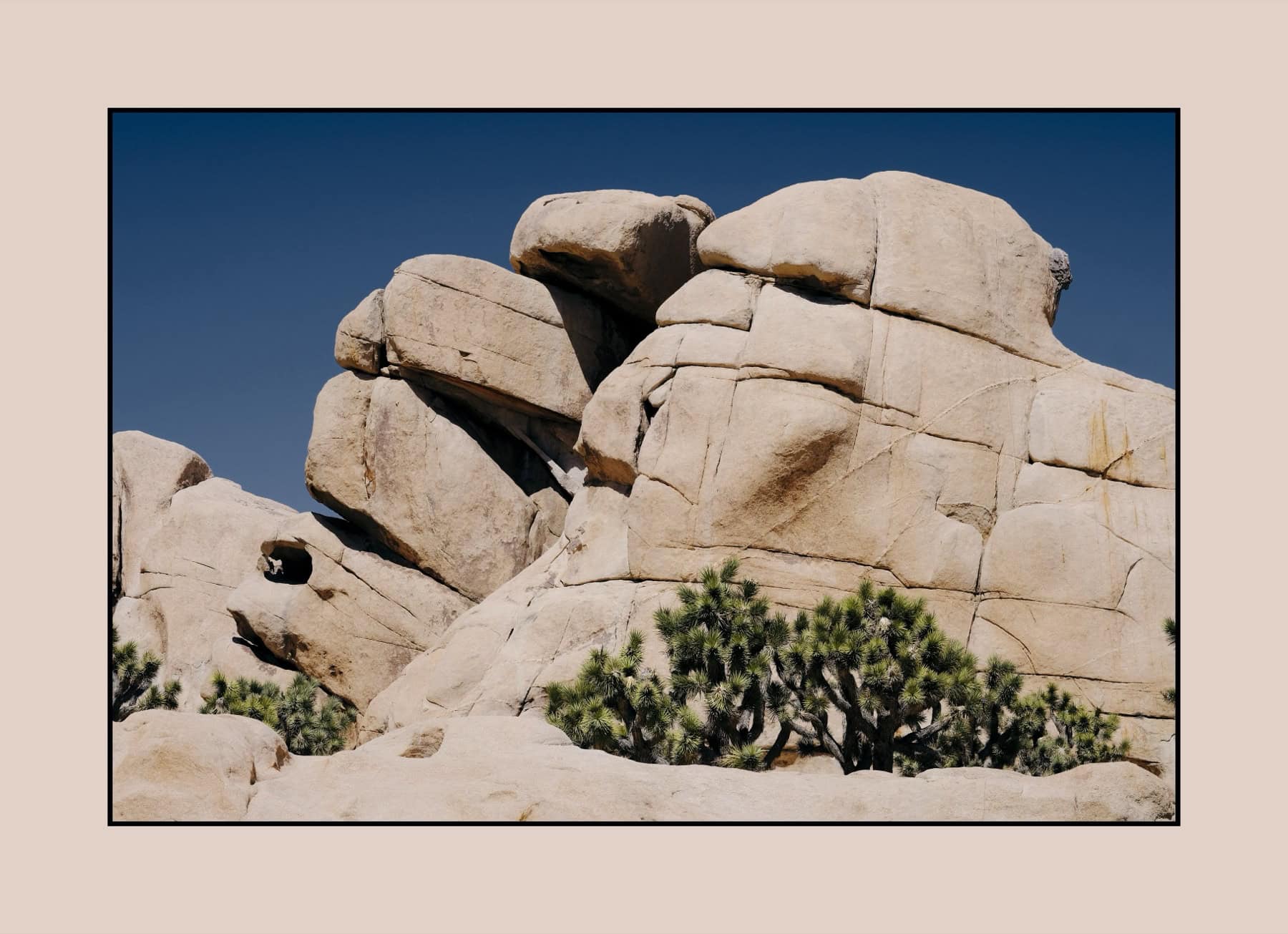
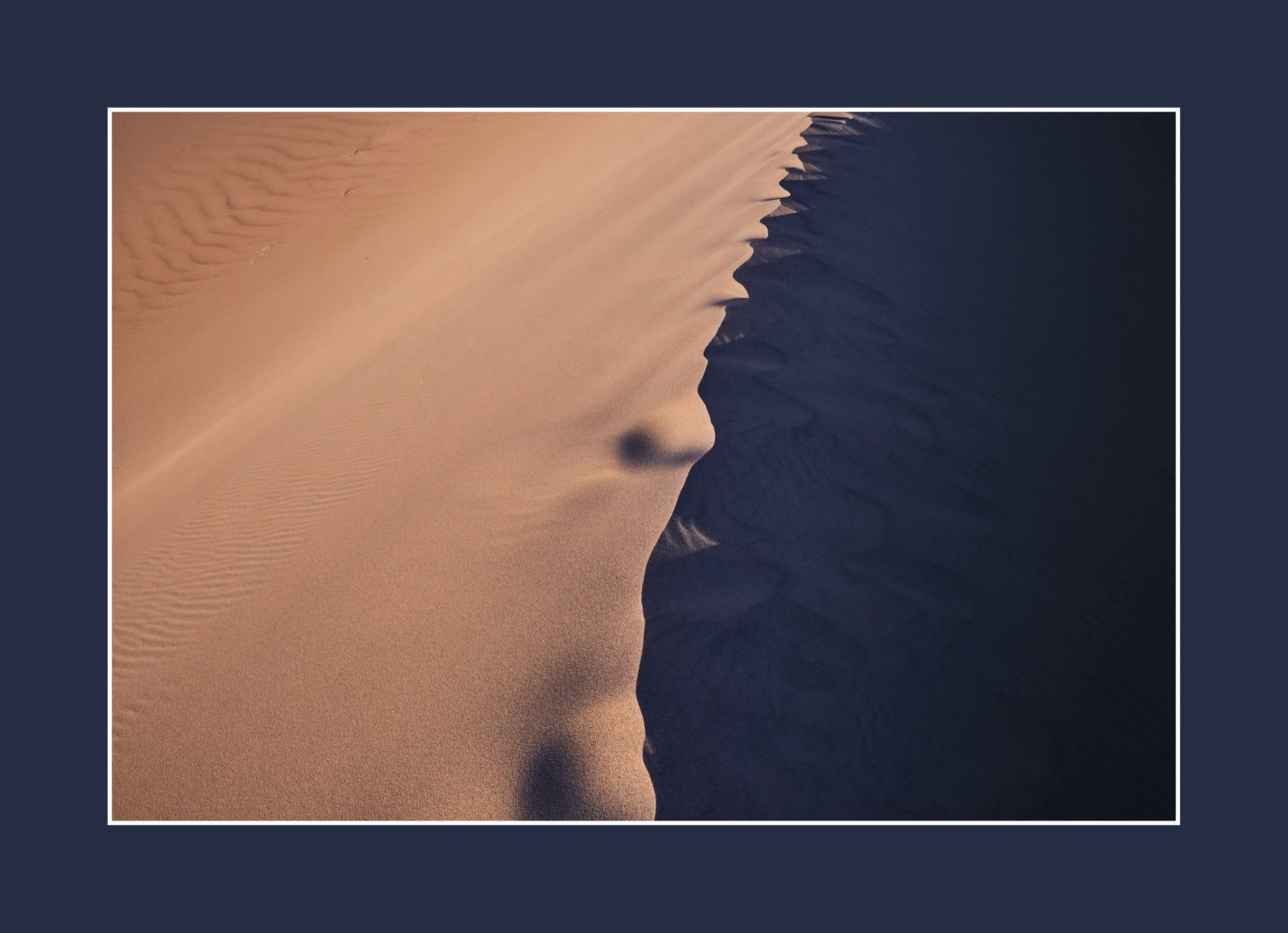
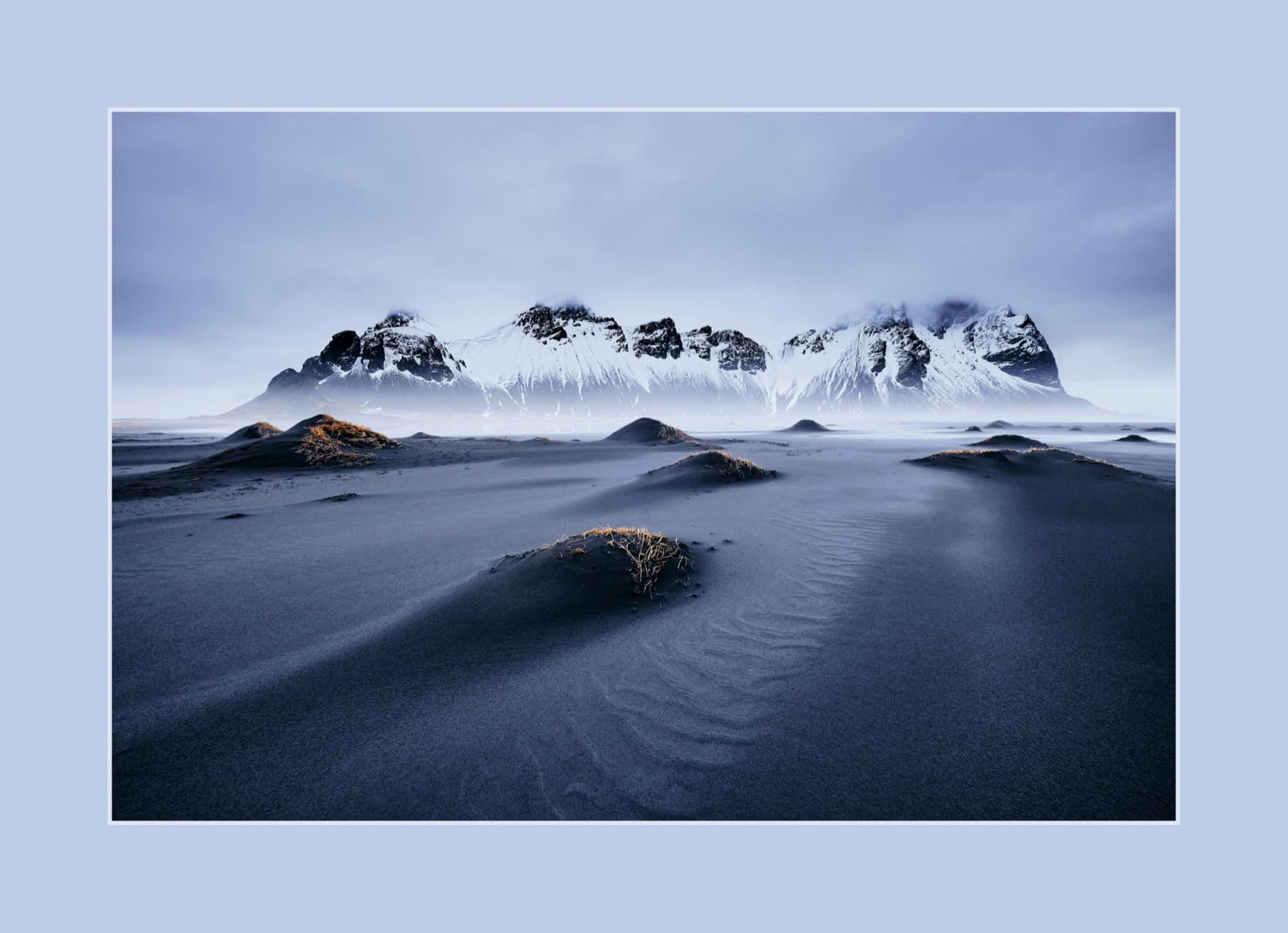
Bestseller n.º 1 100 % satisfechos Pago único · Sin suscripción

Marcos, passepartout
y acabado de galería.
En segundos.

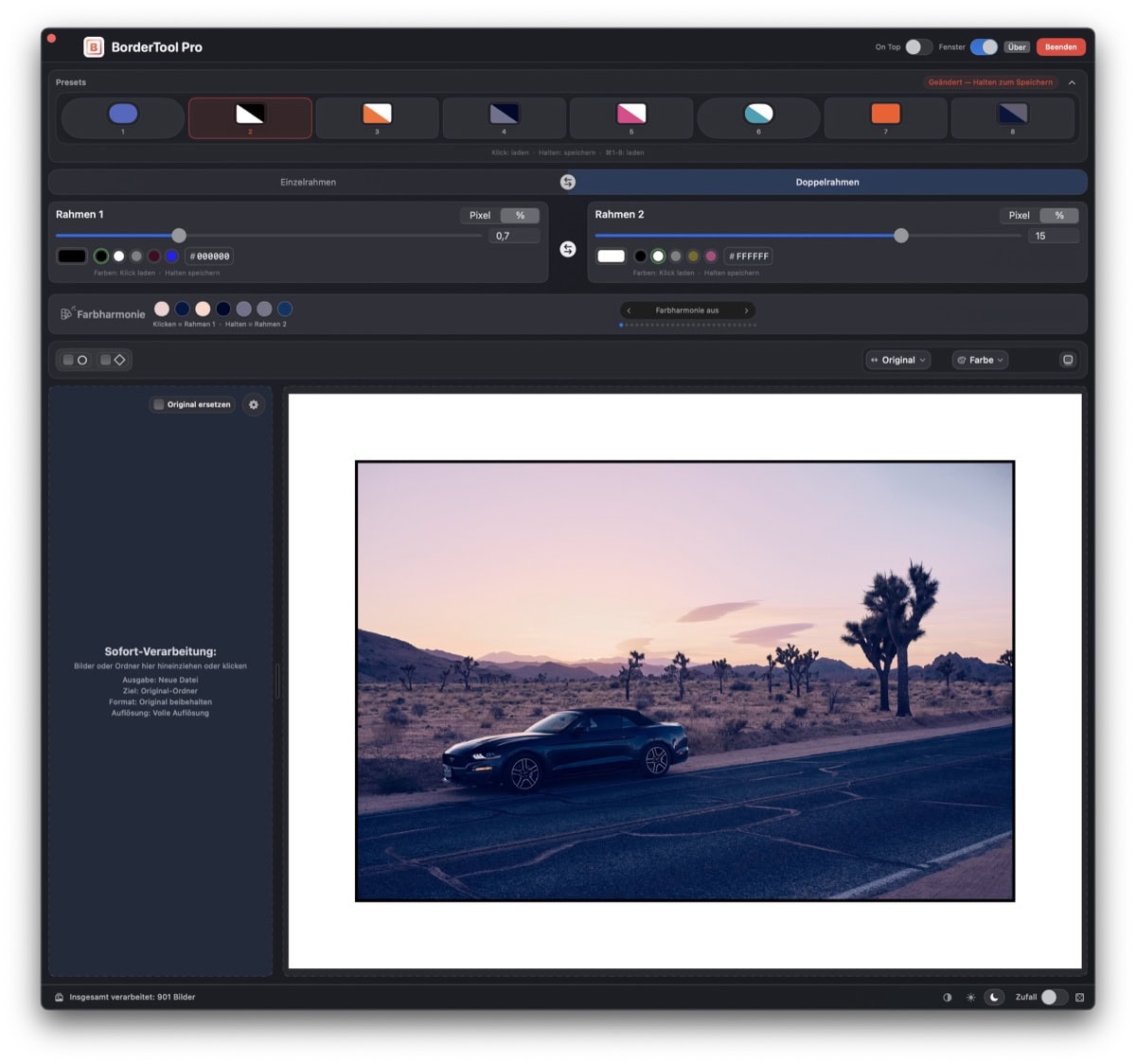
Mac BorderTool Pro crea marcos fotográficos profesionales desde la barra de menús –
sin Photoshop, sin suscripción, sin rodeos. Arrastra, carga un preset y listo.

macOS 11+ · Universal Binary Notarizado por Apple 100 % local – sin nube Pago único – sin suscripción
Mac BorderTool Pro – App Screenshot
Reconocimiento internacional
“High-end digital framing.”

Cuando PetaPixel clava el núcleo de la app, es más que una mención de prensa. Les dice a los fotógrafos para qué existe BorderTool Pro: presentación de alta gama sin un flujo pesado en Photoshop.

★★★★★
5.0
Valoración media
28
reseñas
100%
Satisfechos
#1
Ranking bestseller
The problem

Añadir marcos solía ser
innecesariamente complicado.

Uses el editor que uses, algo tan simple como un borde blanco limpio sigue llevando demasiados pasos y demasiado tiempo.

Demasiado complejo

Photoshop / Lightroom / Affinity

Resize canvas, set background color, create a layer, export. Five steps for one clean border. For 50 images, that can eat half an afternoon. “The learning curve is completely out of proportion to the result.” – Maximilian R., customer

Demasiado lento

Darkroom / Luminar Neo

Borders are possible, but there is no double border, no real batch workflow, no fast presets. “Luminar Neo is a nightmare for this, Pixelmator Pro still complicated.” – Lynton J., UK. For 30 images, you click through 30 dialogs.

Riesgo de privacidad

Web-Tools

Uploading images to third-party services. Often subscription-based, often watermarked, often with quality loss. Your images on someone else’s servers is not acceptable for professional work.

Demasiado engorroso

Capture One / Batch-Actions

Writing scripts, recording actions, maintaining export presets, and starting over for every new look. No live preview, no color harmony assistant, no simple double-border preset.

Cómo funciona

Tres segundos.
Imagen terminada.

Sin tutorial. Sin ritual de configuración. Sin curva de aprendizaje. Sabes al instante qué hacer.

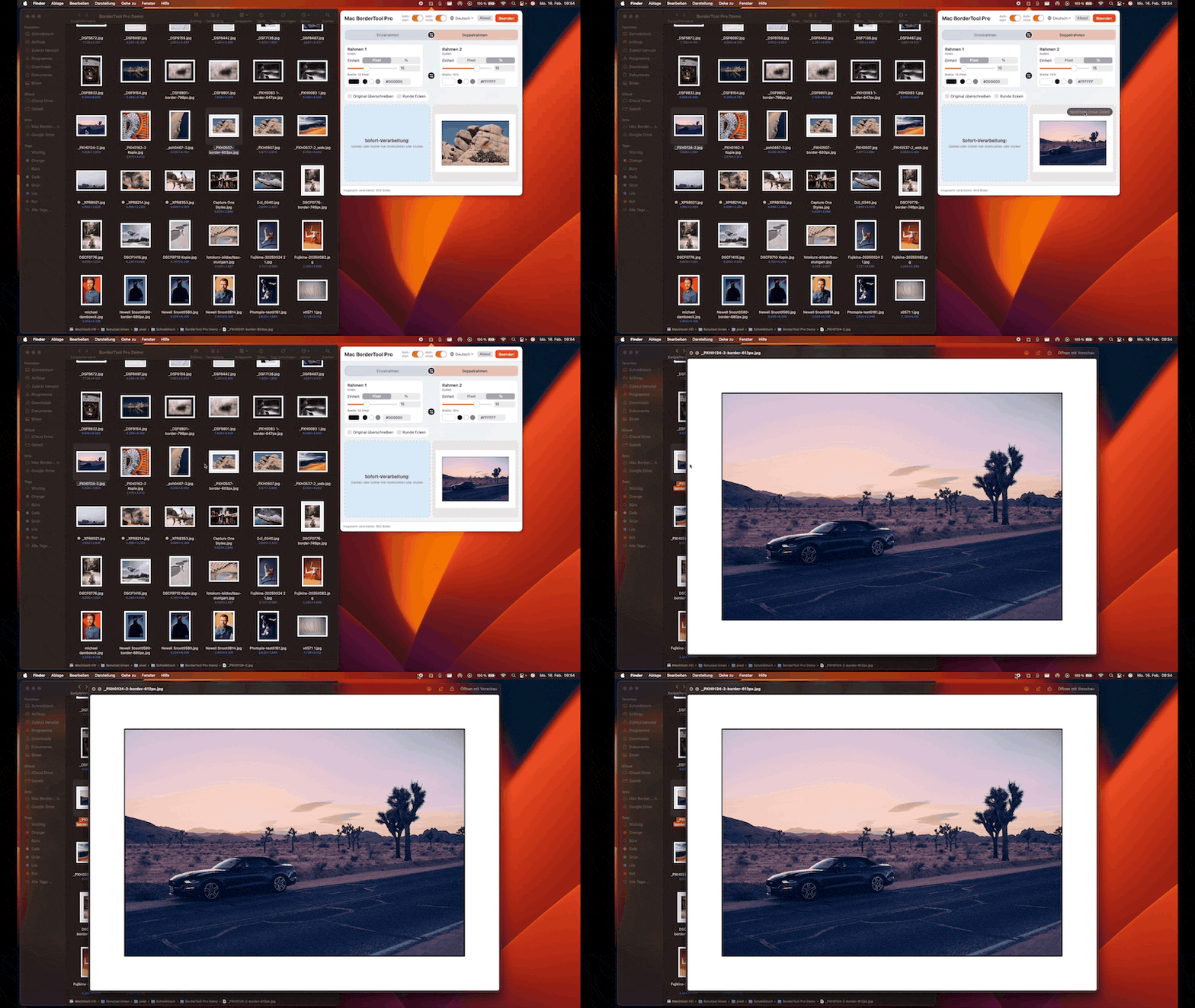
BorderTool Pro menu bar workflow – drag, preset, done
“Podría convertirse en una herramienta estándar para muchos fotógrafos.”Appgefahren.de
1

Arrastra una imagen a la barra de menús

Drag a file from Finder directly onto the menu bar icon, including HEIC files from iPhone. Or right-click → “Open with”. Drag & Drop

2

Carga o ajusta un preset

One keystroke loads your saved setup. Or press H for automatic color harmony, and the app chooses a matching border color for your image.

3

Guarda, copia o comparte

⌘S saves. ⌘C copies straight to the clipboard. Or share via AirDrop, iMessage or email, without another export detour.

Tipos de marco

De un borde limpio
a un acabado de galería.

BorderTool Pro is not just a white edge. You combine borders, shapes and corners to fit the image: fast, repeatable and without Photoshop.

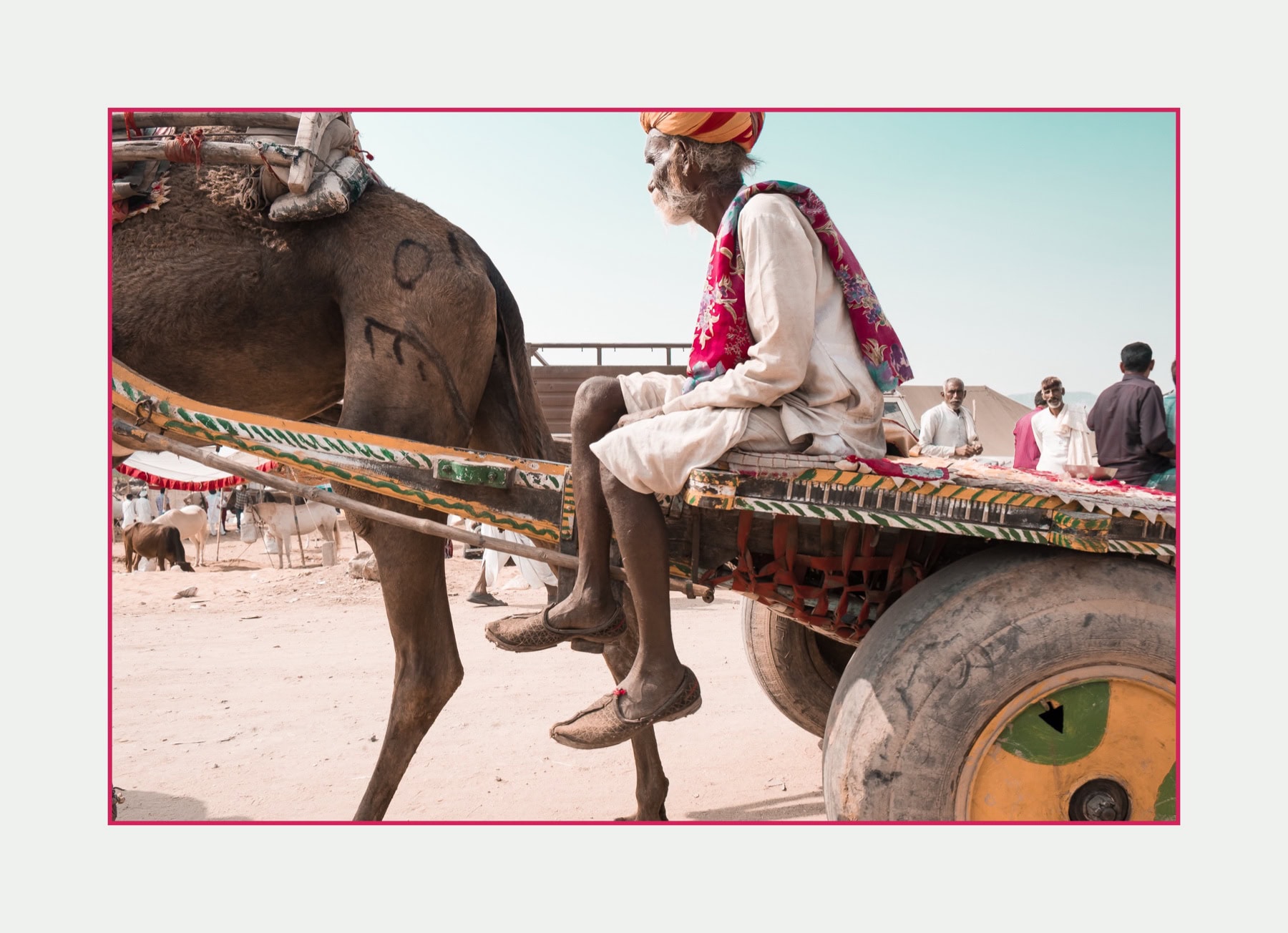
Marco simple

A clean border around your image. Minimal, fast and controlled, perfect for series, web galleries and social posts.

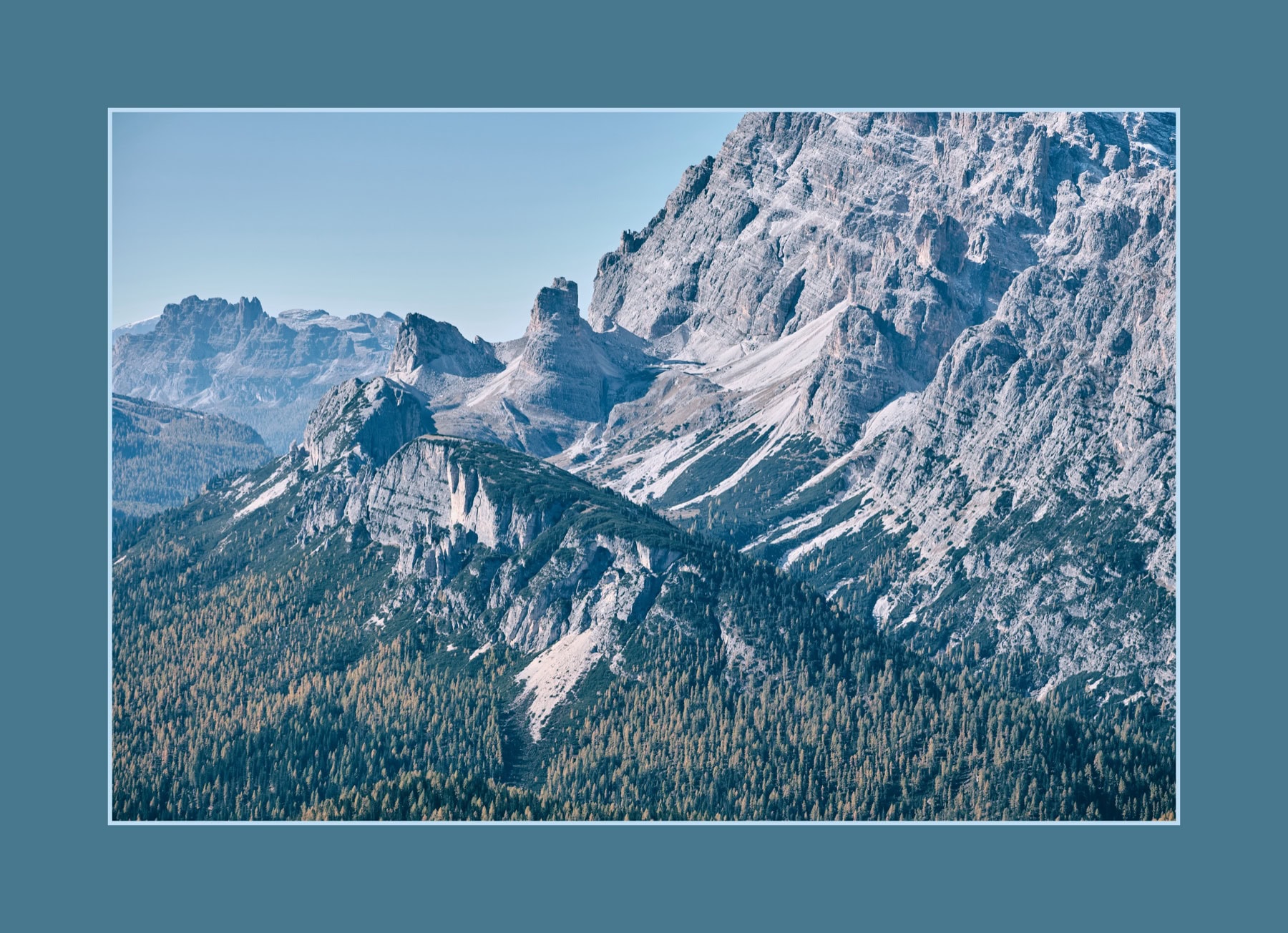
Marco doble

Control inner and outer border separately: width, color and visual weight can be set independently.

Redondeado

Soft corners for modern presentation, portfolios and images that should feel calmer and more digital.

Biselado

Straight 45-degree edges for a distinctive look, especially strong with graphic images.

001
Imágenes procesadas
Batch en vivo
Framed image in batch
Suelta una carpeta. Exporta la serie. Batch en curso
Motor batch

200 imágenes.
Un clic.
Listo.

Drop folders or complete subfolder structures. BorderTool Pro processes everything in parallel on roughly 80% of your CPU cores, with progress and ETA right in the menu bar icon.

~80%
Núcleos CPU usados en paralelo
Imágenes por trabajo batch
EXIF
Los metadatos se conservan
⌘1–8
Los presets funcionan directamente en batch
Ajustes

Configura una vez.
Mantén la coherencia.

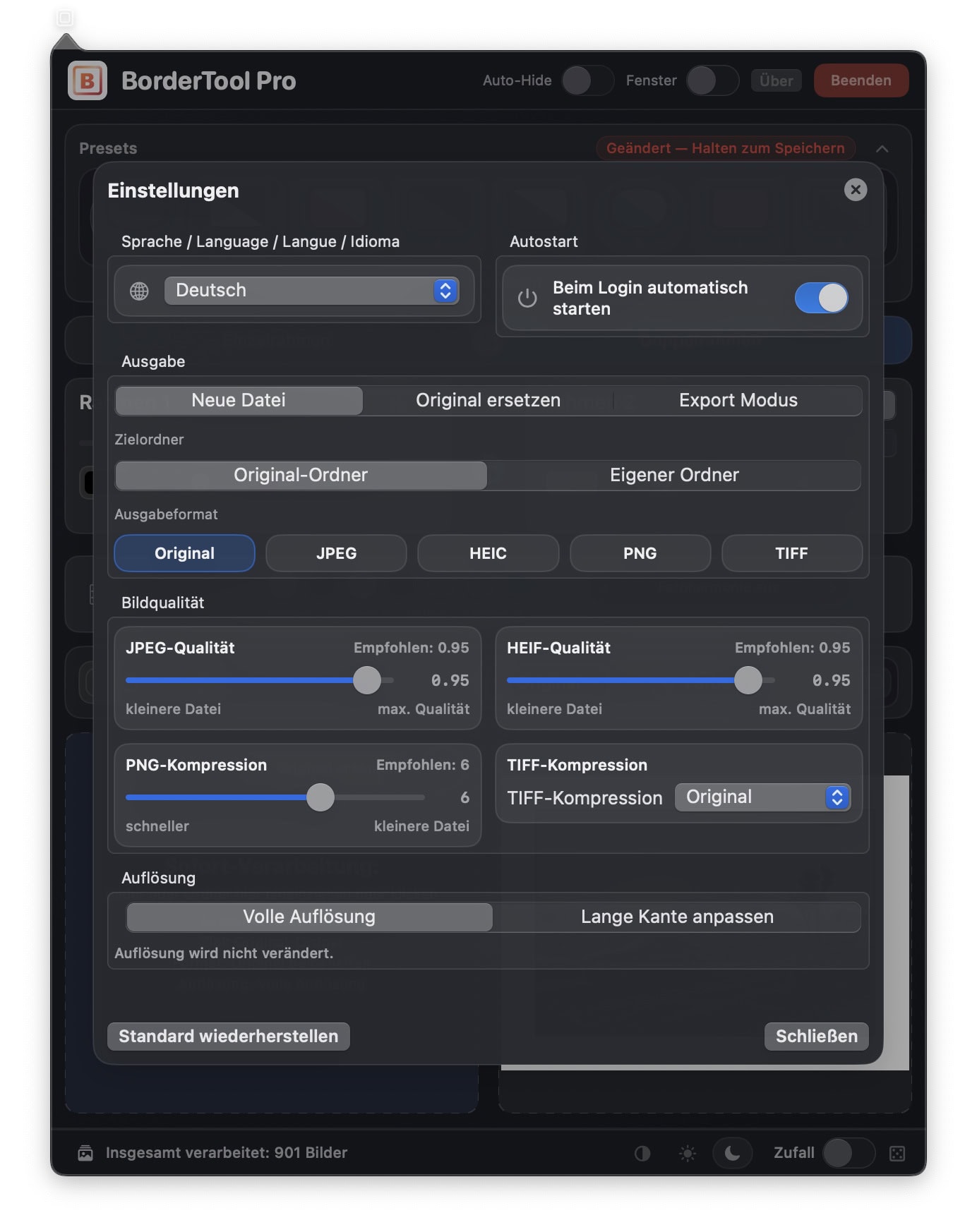
The settings panel is where the batch power lives. Format, quality, destination folder, resolution: configure once, and every export runs exactly the way you want.

Create a new file or replace the original

Originals stay untouched by default, with a Trash fallback when overwriting.

Output format: Original / JPEG / HEIC / PNG / TIFF

Keep the original format or convert. Image quality and compression are controlled by slider.

Limit resolution

Limit the long edge in pixels, ideal for web export or social media. Never upscale.

BorderTool Pro – Ajustes
Por qué BorderTool Pro

Todo lo necesario. Nada inflado.

Creado por un fotógrafo, para fotógrafos. Cada función resuelve un problema real del día a día.

Presentación lista para galería en segundos

Einzel- & Marco doble, Passepartout, Drop-Schatten, Polaroid – hochwertiger Auftritt ohne einen Editor zu öffnen.

Más rápido que la ruta habitual

Drag and drop onto the menu bar icon, choose preset, done. What used to take minutes now takes seconds.

Procesado batch para sesiones completas

200 images? Drop a folder and start. Parallel processing with ETA directly in the menu bar icon.

Armonía de color automática

7 modes analyze your image and suggest border colors. Cycle through them with the H key.

100 % local y privado

Sin subida, sin nube, sin cuentas. Tus imágenes se quedan en tu Mac. Notarizado por Apple.

8 presets por atajo

⌘1–⌘8: one keystroke loads your complete setup. Consistent across entire series.

Extensión Apple Fotos

Add borders directly in Apple Photos, non-destructively. The original always stays intact. Incluido.

Pago único – sin suscripción
€39 once. No monthly surprises. Todas las futuras actualizaciones included.

Lo que dicen los clientes

28 reseñas.
Todas con cinco estrellas.

Not a single unhappy customer. That is not luck; it is the result of real photographer feedback built directly into the app.

MR
Maximilian Rodenwaldt
Fujifilm X-E5 · February 2026
★★★★★

“I used to try creating borders with Affinity, but the learning curve is completely out of proportion to the result. BorderTool Pro is exactly the fast and uncomplicated solution I was missing. As a music producer, I have spent plenty of money on far less efficient plug-ins. With this tool, you do not have to think twice.”

Verified purchase
LJ
Lynton Jones
Luminar Neo User · March 2026
★★★★★

"I've spent ages trying to add borders simply and easily. Luminar Neo is a nightmare for this, Pixelmator Pro still complicated. Then I discovered BorderTool Pro. It is a dream — very simple and intuitive. This is exactly what an app should be. It does one job easily, without any complications. First class!"

Verified purchase
MG
Mike Guilbault
Commercial Photographer · Ontario, Canada · March 2026
★★★★★

"The ability to add two separate borders, corner styles, colours and then save them as presets is a game changer. The time savings alone was worth the upgrade, but it's also so easy to use. The support from Michael is second to none. I'd give it more stars if I could."

Verified purchase
Universal

Funciona con cualquier workflow.

Whether you use Capture One, Lightroom, Apple Photos or Darkroom, BorderTool Pro fits right in.

Capture One
Process Recipe → “Open With” → BorderTool Pro. The export starts framing automatically.
Fully automatic
Adobe Lightroom
Export → “After Export open with” → BorderTool Pro. Load your preset first.
Fully automatic
Apple Photos
Extension included: add borders directly in the editing flow. Non-destructive.
Extension included
Luminar Neo
Export from Luminar → drag & drop into BorderTool. Batch for complete series.
Drag & Drop
Affinity Photo
Export → BorderTool. No more canvas resizing required.
Drag & Drop
Finder / right-click
Any files → right-click → “Open with” → BorderTool Pro.
System integration
Clipboard
⌘V pastes images directly from the clipboard, from Mail, Safari or Messages.
⌘V direct
iPhone photos
Drag HEIC/HEIF directly, no pre-conversion required.
Native
More voices

What the community says.

MD
Manuel Domann
Darkroom switcher · February 2026
★★★★★

“I always used Darkroom, but by comparison it is simply slow and cumbersome. On top of that, the double border is missing. Even complete folders can be processed incredibly quickly. I would buy it again any time.”

Verified purchase
PK
Per Kinde
300+ Imágenes procesadas · March 2026
★★★★★

"This tool is a must in order to present images in a professional way. The double border is a wow! I have used it for more than 300 images and the borders really lift my images. El desarrollador is superb in replying to questions and proposals. I can only recommend this."

Verified purchase
AG
Andre Gastreich
February 2026
★★★★★

“Some tools make one specific use case truly simple. BorderTool Pro is one of those tools. A very simple interface, and a friendly developer who listens to user ideas. My absolute recommendation, from genuine conviction.”

Verified purchase
Comparison

BorderTool Pro frente a las alternativas.

An honest comparison, so you know exactly what you are getting.

Feature BorderTool Pro Photoshop / LR Darkroom Web-Tools
Drag & Drop from the menu bar✓ Sí✗ No✗ No✗ No
Marco doble / Passepartout✓ Sí~ Cumbersome✗ No~ Sometimes
Batch processing✓ Sí~ Actions✗ No✗ No
Armonía de color (automatic)✓ 7 modes✗ No✗ No✗ No
Extensión Apple Fotos✓ Incluido✗ No~ Limitado✗ No
8 presets por atajo✓ ⌘1–⌘8~ Actions✗ No✗ No
100% local / offline✓ Siempre✓ Sí✓ Sí✗ Subida obligatoria
Sin suscripción✓ Pago único✗ Suscripción~ Freemium✗ Normalmente suscripción
Precio€39 one-time≥ €54 / monthGratis / suscripciónCostes variables
Tiempo hasta el primer resultado30 segundosHorasMinutosCada vez de nuevo
Todas las funciones

Completo. Bien pensado.
Todo incluido.

Built from real photographer feedback, not from a feature checklist. Every feature is there because someone needed it.

Borders & appearance
  • Marcos simples y dobles – dos capas configurables por separado
  • Píxeles o porcentaje – escala correctamente para impresión y web
  • Selector de color + HEX (#RGB / #RRGGBB) + 10 colores guardados
  • Armonía de color – 7 modes + 12 color-pair combinations for double borders
  • Conversión blanco y negro – Classic, Hard, Soft, Film
  • Drop shadow – offset, softness, opacity, angle (percentage-based)
  • Redondeado, beveled or square corners
  • Polaroid mode – wider bottom border
  • Random (R) – rolls colors, widths, corners and shadows
Workflow y exportación
  • 8 presets (⌘1–⌘8) – carga configuraciones completas al instante
  • Motor batch – hundreds of images in parallel, progress + ETA in the menu bar icon
  • Formatos Instagram: 1:1, 4:5, 9:16, 1.91:1, 3:2, 16:9 – sin perder contenido
  • Output format: Original / JPEG / HEIC / PNG / TIFF
  • Compatibilidad HEIC/HEIF – arrastra fotos de iPhone directamente
  • Limit resolution – long edge in px, never upscale
  • Vista previa en vivo + Quick Look (Espacio)
  • Importar (⌘V) y exportar (⌘C) desde portapapeles
  • Compartir e imprimir desde la app
App y comodidad
  • Extensión Apple Fotos – non-destructive, original stays intact
  • 12 idiomas – DE, EN, FR, ES, IT, NL, ZH, JA, PL, PT, SV, TR
  • EXIF y perfiles de color se mantienen intactos
  • Popover de barra de menús o ventana libre
  • Universal Binary – native performance on Apple Silicon & Intel
  • Notarizado por Apple – seguro, sin aviso Gatekeeper
  • 100 % local y offline – sin nube, sin cuentas
  • Arrastrar y soltar, clic derecho, integración Finder
Atajos

Manos en el teclado.
Resultado en segundos.

Every reach for the mouse costs time. BorderTool Pro is designed so your hands can stay on the keyboard.

Presets & Armonía de color
⌘1 – ⌘8Cargar preset
HNext Armonía de color mode
⌘HArmonía de color on/off
XIntercambiar colores del marco
DValores por defecto (negro dentro, blanco fuera)
RAleatorizar marcos
Vista previa y exportación
SpaceQuick Look – full resolution
⌘SGuardar vista previa
⌘VPegar imagen del portapapeles
⌘CCopiar resultado
⌘PImprimir – resolución completa
⌘+ScrollAjustar ancho del marco en vivo
Consejo pro del desarrollador

Usa porcentajes para los marcos, no píxeles.

A 3 % border looks just as proportional on a 1080 px Instagram export as it does on a 6000 px print-ready file. Pixel values feel too heavy on small exports and barely visible on high-resolution prints. Set it once in %, and it stays consistent across cameras and formats.

Pro tip: Lightroom & Capture One

Exporta como TIFF, no JPEG.

Export from Capture One or Lightroom as TIFF whenever quality matters: lossless, no compression. BorderTool Pro can convert to JPEG at the end, so JPEG compression happens only once. Exporting JPEG first and saving JPEG again means two compression passes, with visible artifacts.

Integración de workflow

Lo que C1 y Lightroom
no hacen.

Neither Capture One nor Adobe Lightroom offers a native border tool. BorderTool Pro closes that gap and fits into your export workflow like an invisible plug-in. Set it up once, and it runs automatically after every export.

Capture One

No native borders in C1 – BorderTool Pro takes over

1

Open or create a Process Recipe template in Capture One.

2

In “Open With…” select BorderTool Pro.

3

Start the export. BorderTool Pro frames automatically. No manual retouching, no Photoshop detour.

Pro tip: With “Replace original”, the export immediately becomes the finished framed image, without manual moving or renaming.
Adobe Lightroom

No native borders in LR – BorderTool Pro closes the gap

1

Open the Export dialog in Lightroom (File → Export).

2

At the bottom: “After Export” → “Open in Other Application” → select BorderTool Pro.

3

Export. BorderTool Pro immediately applies your preset settings. No Photoshop, no extra app.

Pro tip: Load your preset first with ⌘1–⌘8. Every exported image instantly gets the right look, fully automatically.
Apple Photos · Extension

Borders directly inside Photos

1

Select a photo in Apple Photos → click “Edit”.

2

Top right “…” → Extensions → choose BorderTool Pro.

3

Configure the border → “Save Changes”. The original always stays intact.

Non-destructive: Apple Photos automatically preserves the original. Borders can be changed or removed at any time.
Finder · Right-click

Any file, anywhere

1

Select any image file or files in Finder.

2

Right-click → “Open with” → BorderTool Pro. Also works with multiple selection.

3

Or simply drag onto the menu bar icon. It starts immediately.

Tip: Drag HEIC/HEIF from iPhone directly, no pre-conversion required.
Michael Damböck – Fujifilm X-Photographer
Michael Damböck
Fujifilm X-Photographer
Fotógrafo y desarrollador
El desarrollador

Nacido de la práctica.
Para workflows reales.

I have worked as a professional photographer, YouTuber and official Fujifilm X-Photographer for more than 18 years. My everyday work includes client galleries, series exports and fine-art images with hundreds of files.

BorderTool Pro came from a real problem, not from a feature idea. User feedback flows directly into updates. You can see it in follow-up reseñas: some users wrote a second review after only four days because so many new features had landed.

Precio

Compra una vez. Usa para siempre.

Sin suscripción. Sin costes ocultos. Todas las actualizaciones incluidas.

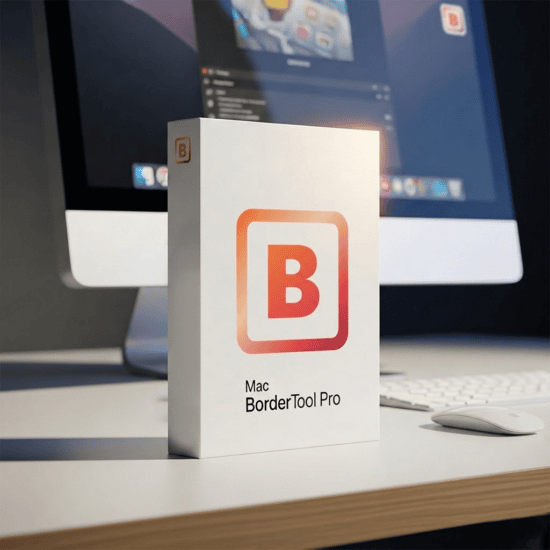
Mac BorderTool Pro product box
Bestseller n.º 1
★★★★★
28 reseñas · 100 % satisfechos
39,00 €
Pago único · IVA incluido · sin costes posteriores
Mac BorderTool Pro (Universal Binary)39 €
Extensión Apple FotosIncluido
Todas las futuras actualizacionesIncluido
Soporte personal del desarrolladorIncluido
12 idiomasIncluido
Tu precio – pago único39,00 €
Comprar ahora – 39,00 €

Descarga inmediata · pago único · uso de por vida · sin suscripción

PayPal – inmediato
Tarjeta – inmediato
Transferencia – hasta 24 h
¿Aún no estás seguro? Descargar prueba gratis →
Prueba gratis

Prueba primero.
Compra después.

Pruébalo por ti mismo: descarga la versión de prueba gratuita y usa BorderTool Pro con tus propias imágenes antes de comprar.

Descargar prueba gratis
Sin cuenta obligatoria
Sin suscripción
Apple-notarized
macOS 11+
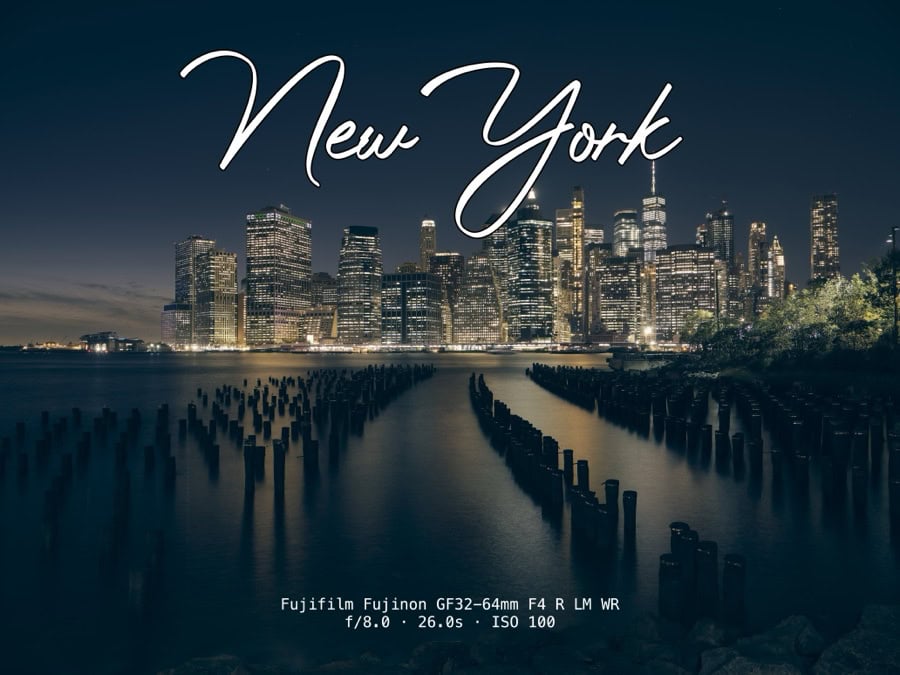
BatchMark Pro – New York watermark example
BorderTool Pro product image
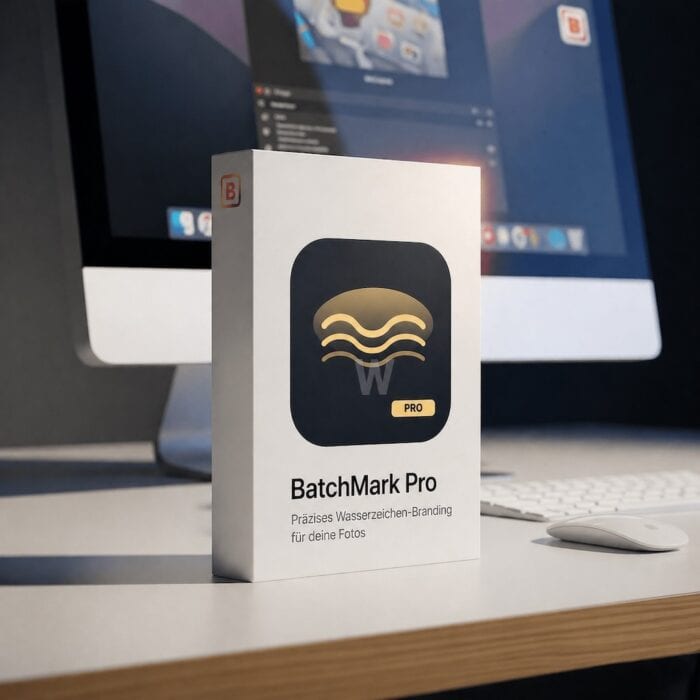
BatchMark Pro product image
Dúo perfecto

El workflow definitivo.
Más branding.
Menos trabajo.

Combina BorderTool Pro con BatchMark Pro, la herramienta de marcas de agua para fotógrafos. Añade marcos, añade marcas de agua y listo. Tu workflow completo de presentación en un solo paso.

BorderTool Pro
Marcos profesionales, passepartout y look de galería
+
BatchMark Pro
Marcas de agua, firmas y branding en batch
Explorar BatchMark Pro → Todas las herramientas
Lo que quizá todavía te frena

Respuestas honestas.

Las cuatro dudas más comunes, y por qué no deberían frenarte.

No compro apps fuera de la App Store.

Totalmente comprensible. BorderTool Pro está notarizado por Apple, así que macOS verifica la app automáticamente en el primer inicio. Sin sustos de seguridad, sin problema con Gatekeeper. Como una app de la App Store, solo que sin sumar el 30 % de Apple al precio.

¿Mis imágenes se suben a algún sitio?

No. Todo ocurre 100 % localmente en tu Mac. Sin servidores, sin nube, sin cuenta. Tus imágenes nunca salen de tu ordenador: ni al abrir la app, ni al exportar, ni durante las actualizaciones.

¿Perderé mis originales?

Por defecto, la app siempre crea un archivo nuevo. “Reemplazar original” es una opción deliberada, con aviso claro y recuperación desde la papelera. Solo ocurre si la eliges activamente.

¿Funcionará con mi cámara y formato?

Muy probablemente sí. Compatible con JPG, PNG, TIFF, BMP, GIF, HEIC/HEIF, incluidas fotos de iPhone directamente. Si tu cámara escribe un formato estándar, funciona. O pruébalo gratis con tus propios archivos.

FAQ

Preguntas frecuentes.

¿Tengo que pagar cada mes?

No. BorderTool Pro es una compra única de 39 €. Sin suscripción, sin cuotas mensuales. Todas las futuras actualizaciones están incluidas.

¿Puedo probarlo antes de comprar?

Sí. Descarga la prueba gratis y prueba la app con tus propias imágenes: sin cuenta y sin suscripción.

¿Qué versiones de macOS son compatibles?

macOS 11 (Big Sur) and newer. Universal Binary – native performance on Apple Silicon (M1–M4) and Intel.

¿Cómo pago?

PayPal and credit card give instant access. Bank transfer is activated after payment is received, usually within 24 hours.

¿La app sigue en desarrollo?

Actively. Many features came directly from community requests; some users wrote a second review after only four days because of new updates. Purchase includes all future updates.

¿El batch funciona con subcarpetas?

Sí. The batch engine scans folders and subfolders recursively. Progress and ETA are shown directly in the menu bar icon.

¿Se conservan los datos EXIF?

Sí. BorderTool Pro processes images through ImageIO, preserving EXIF metadata and color profiles.

¿El soporte está incluido?

Sí, directly from the developer. Michael personally answers questions and feedback. You can see that in the reseñas where customers explicitly mention the support.

¿Listo?

Dale a tus imágenes el marco
que merecen.

Sin Photoshop. Sin suscripción. Compra una vez y úsalo siempre.
28 fotógrafos ya lo hicieron. Cada reseña tiene cinco estrellas.

Comprar ahora – 39,00 €
macOS 11+ · Universal Binary
Apple-notarized
100% local – no cloud
Pago único – sin suscripción
5★ · 28 reseñas
Support from the developer
Mac BorderTool Pro
★★★★★ 28 reseñas · Pago único · Sin suscripción

Withdraw from contract